Full disclosure: KwoTit is our product. This guide compares it with Meta lead forms and LinkedIn lead forms. We say where each tool is the better choice, including where KwoTit is not.
Quick answer
Meta lead forms collect contact details inside Facebook and Instagram. They are very good at one thing: they make it fast for a person to tap an ad and leave their details.
KwoTit lead forms ask questions about the job and show a live price before the customer sends anything. They are better when your price depends on the details of the job.
Use this rule:
- Choose Meta lead forms when you want many contacts fast and your sale is simple.
- Choose KwoTit when you sell a service with a custom price and you want only serious leads.
- Choose a lead form on LinkedIn when you sell to companies and need job titles.
- Use both if you run ads. You can send Facebook ad traffic to a KwoTit form link.
What are Meta lead forms?
Meta lead forms are forms that open inside Facebook or Instagram when a person taps a lead ad. The person does not leave the app. Meta can fill in their name and contact details from their profile.
You may see other names for the same thing:
- Meta instant forms
- Facebook lead gen forms
- Facebook lead generation forms
- Meta forms or gen forms (short names)
This guide uses the term Meta lead forms.
What are KwoTit lead forms?
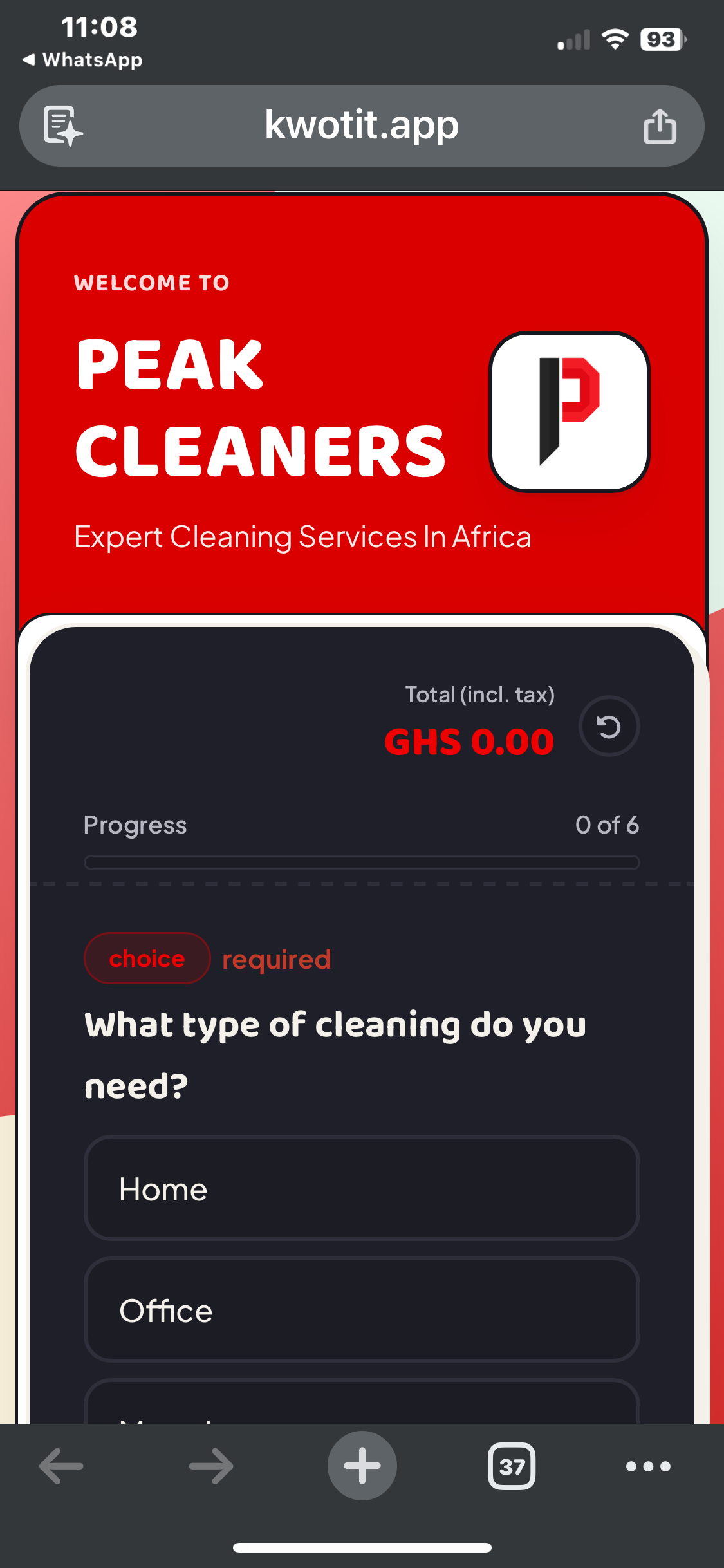
KwoTit is a CRM for service businesses in West Africa. A CRM is a tool that keeps track of your customers.
A KwoTit lead form is a link. The customer opens the link and answers a few questions. The form changes the next question based on the last answer. This is called conditional logic. The customer sees a live price while they answer. KwoTit saves the lead in your dashboard.
From the same dashboard, you can send a quote and an invoice. Your customer can pay with Paystack by card, mobile money, or bank transfer.
Comparison table
| Feature | Meta lead forms | KwoTit lead forms | LinkedIn lead forms |
|---|---|---|---|
| Where the form opens | Inside Facebook or Instagram | On a link you share | Inside LinkedIn |
| Traffic source | Meta ads | Any link: ads, WhatsApp, website, social bio | LinkedIn ads |
| Auto-filled details | Yes, from the person's profile | No. The customer types their details | Yes, from the member's profile |
| Conditional logic | Yes | Yes | No |
| Number of questions | Up to 15 custom questions | Your own set of questions | Up to 3 custom questions |
| Customer sees a price first | No | Yes, a live price estimate | No |
| Lead goes to | Meta tools or your CRM | Your KwoTit dashboard and pipeline | LinkedIn tools or your CRM |
| Quote, invoice, and payment | No | Yes, with Paystack | No |
| Cost of the form | No separate fee. You pay for ads | Paid plans from $7 a month | No separate fee. You pay for ads |
Form limits can change. We checked them in October 2026. See the sources at the end of this post.
Meta lead forms: strengths
- Very fast for the customer. The person stays in the app. Meta fills in their details.
- High volume. You reach a large audience with one ad.
- Built into the ad. You manage the ad and the form in one place.
- Two main form types. More Volume is quick to fill. Higher Intent adds a review screen before the person sends the form. This gives you fewer leads but better ones.
- Conditional logic. You can end the form early if an answer shows a bad fit.
- Good for simple offers. Examples are a free class, a sign-up, or a fixed-price product.
Meta lead forms: weaknesses
- The customer does not see a price. Many people tap, send, and lose interest. You still spend time on them.
- Easy taps bring weak leads. When a form is very easy, some people send it by accident.
- Your leads live in Meta first. You must download them or connect them to a CRM. Until then, the leads sit in a different place from your quotes and invoices.
- A live form cannot be edited. If you find a mistake, you must make a new form.
- No quotes or payments. The form ends at the contact details.
- Higher Intent forms show on mobile feeds only. Check this before you pick that type.
Lead form on LinkedIn: strengths and weaknesses
A lead form on LinkedIn is called a Lead Gen Form. It opens inside LinkedIn. LinkedIn fills in the member's name, job title, and company from their profile.
Strengths:
- The professional data is usually current, because people keep their profiles up to date.
- It works well when you sell to companies.
Weaknesses:
- You can add only three custom questions. The whole form has a limit of 12 questions.
- It does not show a price.
- LinkedIn ads cost more than ads on many other platforms, and many small service businesses in Ghana do not sell to the LinkedIn audience.
KwoTit lead forms: strengths
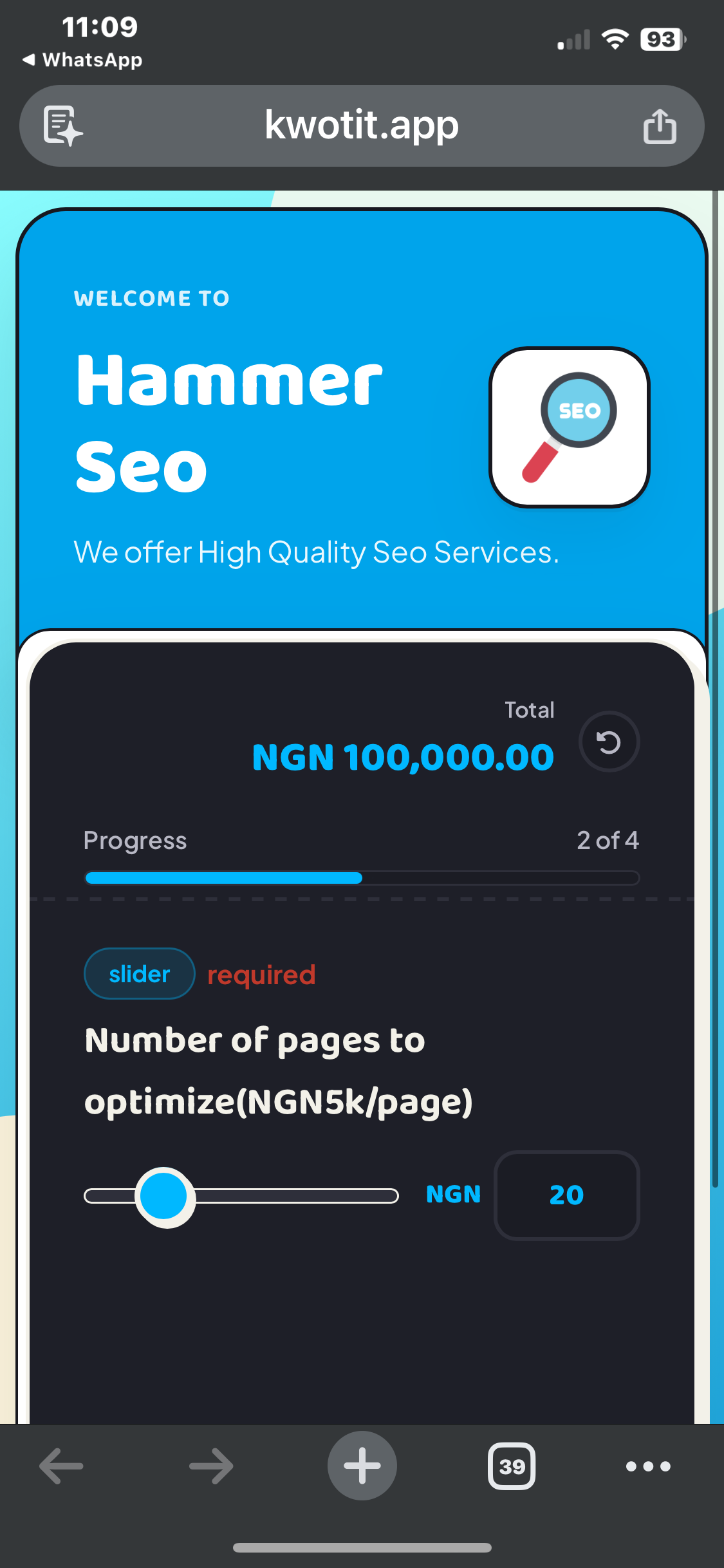
- The customer sees a price first. The live estimate removes people who cannot pay. They leave before they use your time.
- Built for custom prices. You ask pricing questions, such as the date, the size, or the number of guests.
- One system from lead to payment. The lead, quote, invoice, and Paystack payment are in one place.
- Works with WhatsApp. You open a chat with the customer in one click.
- Prices in local currency. GHS is supported. NGN, ZAR, KES, and USD are also supported.
- The pipeline updates itself. When you send an invoice or get paid, the lead moves to the next stage.
- Teams. You can invite people and assign leads.
- Works with any traffic. Use the link in an ad, a WhatsApp status, a website, or a social media bio.
KwoTit lead forms: weaknesses
- KwoTit does not run ads. It does not find customers for you. You must bring the traffic.
- The customer must type their details. There is no profile autofill. A long form can lose some people.
- Fewer people finish. A form that shows a price will lose the people who dislike the price. This is the aim, but your lead count will be lower.
- Smaller ecosystem. KwoTit has fewer integrations and templates than a large global platform.
- It’s not free . Plans start from $19 up to $39 per month, however you can get started with a trial and collect 10 customer requests for just $1.
When does each tool work better?
| Your situation | Better choice | Why |
|---|---|---|
| You sell a fixed-price product or a free sign-up | Meta lead forms | The sale is simple. Speed and volume matter most. |
| Your price depends on the job (events, printing, building, photography) | KwoTit | The live price removes people who cannot pay. |
| You want many contacts for a big launch | Meta lead forms | You reach a large audience fast. |
| You are tired of long WhatsApp chats with people who never pay | KwoTit | The form qualifies people before they message you no. |
| You sell to companies and need job titles | LinkedIn lead form | The profile data gives you job and company details. |
| You need to send quotes and take payment | KwoTit | You can do both from the same dashboard. |
| You run Facebook ads and want better leads | Both | Send the ad to a KwoTit form link. |
Example: one planner, two forms
Ama runs a small events business in Accra. She runs a Facebook ad for weddings.
With a Meta lead form: Forty people send their details in one week. Ama calls each one. Many ask "how much?" and stop answering when she gives the price.
With a KwoTit form: Fewer people finish the form. But each one has seen a price estimate and agreed to continue. Ama only calls people who are ready to talk about a real budget.
(This example is an illustration. The name and the numbers are not real.)
Can you use both?
Yes. Meta is good at finding people. KwoTit is good at qualifying them.
- Run a Facebook or Instagram ad.
- Use your KwoTit form link as the place the ad sends people.
- Let KwoTit show the price and save the lead.
- Send the quote and collect the deposit from the same dashboard.
Meta also offers ads that open a WhatsApp chat. These are useful, but they do not show a price before the chat starts.
Frequently Asked Questions
What are Meta lead forms? Meta lead forms are forms that open inside Facebook or Instagram when a person taps a lead ad. Meta can fill in the person's contact details from their profile. They are also called Meta instant forms or Facebook lead gen forms.
Are Facebook lead gen forms free? The form has no separate fee. You pay for the ads that show it. The cost per lead depends on your audience, your ad, and your form type.
Is KwoTit a replacement for Meta lead forms? It depends on your goal. Meta lead forms collect contact details inside the app. KwoTit shows a price, saves the lead, and handles quotes and payments. Many businesses use Meta to find people and KwoTit to qualify them.
Can I use a KwoTit form with Facebook ads? Yes. A KwoTit form is a link. You can use it as the website destination of an ad, or share it in WhatsApp, on your website, or in your social media bio.
How is a lead form on LinkedIn different from Meta lead forms? A lead form on LinkedIn fills in job title and company from the member's profile. It allows only three custom questions. Meta lead forms allow more questions and conditional logic, and they reach a wider consumer audience.
Which lead form is best for a service business in Ghana? If your price depends on the job, KwoTit is usually the better fit, because the customer sees a price first. If you sell a simple offer and need volume, Meta lead forms are a good choice. You can also use both.
Final thoughts
Meta lead forms and KwoTit solve different problems. Meta helps you find people. KwoTit helps you decide which people deserve your time.
If your price changes with every job, a form that shows a price first can save you many hours. Try KwoTit and set up your first lead form in minutes.