An interior decorator in Accra just finished a client consultation. The client is ready to pay a deposit, right now, on the spot.
There's no website. No online store. No card machine in her bag.
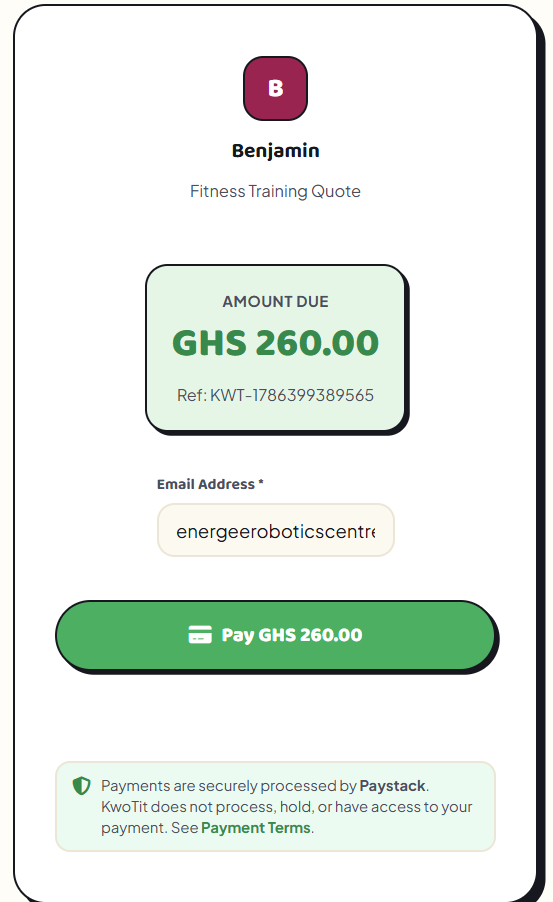
What she has is her phone — and a link she can send over WhatsApp that takes the client straight to a Paystack checkout page.
That link is the entire "online payment system." No developer, no e-commerce platform, no waiting.
Why businesses assume they need more than this
Most small business owners in Ghana and Nigeria assume that "accepting payments online" means building a website first, then wiring up a payment gateway, then somehow connecting it all together.
That assumption stops a lot of businesses from ever getting started — because building a website feels like a project, and a project gets postponed.
But a website is only one way to present a payment option. It isn't a requirement for the payment itself.
A payment link separates "getting paid" from "having a website." You can have one without the other.
What a payment link actually adds
1. A checkout page you didn't have to build. Paystack (or a similar processor) generates the page, handles the card and mobile money details, and confirms the transaction — all without you touching any code.
2. Something you can send anywhere. WhatsApp, SMS, email, Instagram DM — the link works the same everywhere, which matters when most of your customer conversations already happen on those channels.
3. A record of who paid and when. Unlike a bank transfer confirmed by screenshot, a payment link ties the transaction to an actual record, which makes reconciliation and follow-up far less manual.
A real comparison
Take a business collecting a 50% deposit before starting a job — common for tailors, decorators, and small contractors.
Without a payment link: the customer is asked to "send momo" or transfer to an account number typed out mid-conversation. Confirmation depends on a screenshot. If the number is mistyped, or the screenshot gets lost in the chat history, there's no clean paper trail.
With a payment link: the customer taps, pays, and both sides get a confirmation. The business owner doesn't have to remember to check their bank app — the payment shows up as a completed transaction, attached to the right customer and the right quote.
The difference isn't about looking more advanced. It's about removing the points where a payment can quietly go wrong.
When it's time to start using one
A few signs a payment link would help:
- You're currently asking customers to "send momo" or transfer to a number typed in chat
- You've had a payment dispute because there was no clear record of what was sent
- You want to collect deposits before starting work, but don't have a clean way to ask for them
- You don't have a website, and building one isn't realistic right now
If any of that sounds familiar, a payment link solves the actual problem faster than a full website would.
Making it simple
With KwoTit, Pro and Lifetime users can attach their own Paystack payment link directly to a calculator or quote, so a customer can go from getting a price to paying a deposit without ever leaving the conversation. Free to start, no card required.